
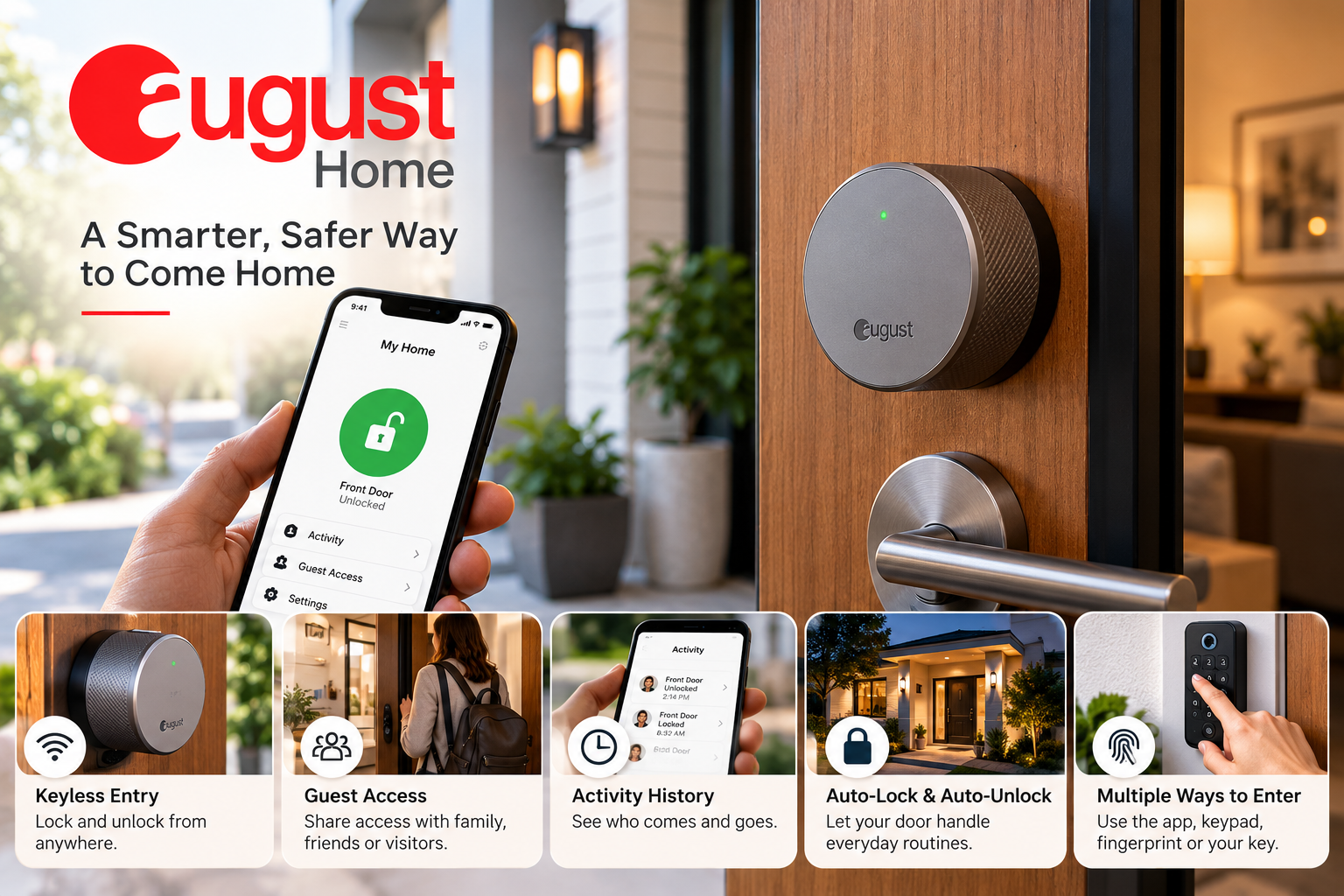
Smart locks have become a practical part of modern home security, especially for homeowners who want more control over who can enter their property without completely changing the way they use their front door. August Home focuses on this idea with smart locks that work with existing deadbolts while adding app-based access, remote control and automation features.
What Is August Home?
August Home is a smart-home brand focused primarily on connected door locks and access products. Its smart locks are designed to add digital control to a home's existing entry setup, allowing homeowners to use a smartphone instead of relying only on a traditional key.
One of the main products in the current range is the August Wi-Fi Smart Lock, which includes built-in Wi-Fi and can be controlled remotely through the August app. The idea is straightforward: keep the existing deadbolt while adding connected features on top of it.
How Does an August Smart Lock Work?
An August smart lock connects to the August mobile app, allowing users to lock and unlock their door from a compatible smartphone. Depending on the model and setup, homeowners can also manage access remotely and use automation features such as Auto-Lock and Auto-Unlock.
The system is designed around convenience rather than replacing every part of the existing door hardware. This can make the transition to a smart lock easier for homeowners who already have a compatible deadbolt installed.
Does August Replace Your Existing Deadbolt?
One of the notable aspects of August's approach is that compatible products are designed to work with an existing single-cylinder deadbolt rather than requiring the entire locking mechanism to be replaced.
That means the outside appearance of the door can remain familiar while the inside receives the smart-lock hardware. For homeowners who still want to use their physical keys, the system can continue supporting traditional key access alongside smartphone control.
What Can You Do With the August App?
The August Home app acts as the main control center for compatible smart locks. From the app, users can manage their lock and, depending on their setup, provide access to other people without handing over a physical key.
Guest access can be particularly useful for family members, friends, housekeepers or other visitors. Access permissions can be set for specific periods, including minutes, hours or days, giving homeowners more flexibility over temporary entry.
The activity feed can also provide information about who has locked or unlocked the door, which can be useful when keeping track of household access.
What Are Auto-Lock and Auto-Unlock?
Auto-Lock and Auto-Unlock are designed to reduce the number of times homeowners need to manually operate the lock.
Auto-Lock can automatically secure the door after a configured period, while Auto-Unlock can use the user's location to help unlock the door when they return home. These features are especially relevant for people who regularly arrive home carrying groceries, bags or other items.
Because these functions depend on the specific product and app configuration, it is worth checking the supported features before choosing a particular model.
Do You Need a Wi-Fi Bridge?
Not every August setup works in exactly the same way. The newer August Wi-Fi Smart Lock has built-in Wi-Fi, while some earlier products use a separate bridge for remote connectivity.
For example, the August Smart Lock + Connect combines a smart lock with the Connect Wi-Fi Bridge. The bridge allows the compatible lock to connect to the home's Wi-Fi network for features such as remote access.
This distinction matters when comparing older and newer August products because the required hardware can affect both installation and the overall setup.
Can You Use a Keypad With August?
A keypad can be useful for households that want keyless entry without requiring every person to install the August app. Compatible keypad options allow users to enter a code at the door instead of unlocking it with a smartphone.
August Home's ecosystem also includes products such as the Yale Keypad Touch, which adds fingerprint-based entry to compatible setups.
For families, rental properties or homes where several people need regular access, a keypad can provide another way to manage entry while keeping smartphone access available.
Is an August Smart Lock Easy to Install?
August Home's smart-lock design is intended to make installation relatively straightforward when the existing deadbolt is compatible. The company states that its Wi-Fi Smart Lock can be installed in less than 10 minutes.
The actual installation time can still vary depending on the door, deadbolt and existing hardware. Before purchasing, checking compatibility is therefore more important than relying on a general installation time.
How Long Does the Battery Last?
Battery life depends on the specific August model, usage and other conditions. The current August Wi-Fi Smart Lock is listed with battery life of up to three months.
Since smart locks are connected devices, keeping an eye on battery status is important. The August app can help users stay aware of the lock's condition so that batteries can be replaced before the lock becomes inconvenient to use.
Does August Work With Other Smart-Home Devices?
August smart locks can work with several smart-home ecosystems, depending on the specific product and compatible setup. Supported integrations include platforms such as Alexa, Google Assistant, Siri/HomeKit and SmartThings.
This can make an August lock part of a wider smart-home setup rather than an isolated device. For example, homeowners may want their door lock to work alongside voice assistants or other connected home products.
Which August Smart Lock Should You Consider?
The right model depends largely on the type of access and connectivity a home requires. The current August product range includes Wi-Fi smart locks, keypad combinations and other access solutions.
A homeowner who wants built-in Wi-Fi may look at the August Wi-Fi Smart Lock, while someone interested in PIN or fingerprint entry may prefer a compatible keypad-based package. Older August Smart Lock + Connect configurations can also make sense for users specifically looking for that combination.
Rather than choosing based only on the product name, compare Wi-Fi connectivity, keypad support, compatibility, battery requirements and smart-home integrations.
What Should You Check Before Buying an August Smart Lock?
Before purchasing, start by checking whether your existing deadbolt is compatible with the particular August model. This is especially important because smart-lock compatibility can vary between door hardware configurations.
It is also worth considering how you normally enter your home. Smartphone access may be sufficient for some households, while others may benefit from a keypad or traditional key access. If remote access is important, confirm whether the chosen model has built-in Wi-Fi or requires an additional bridge.
Finally, consider your existing smart-home ecosystem. Compatibility with Alexa, Google Assistant, Apple Home or SmartThings can influence how easily the lock fits into the rest of your connected home.
Is August Home a Practical Smart-Lock Option?
August Home takes a relatively straightforward approach to smart access by combining traditional door hardware with connected features. Its products can provide smartphone control, remote access, guest permissions, automatic locking and integration with other smart-home platforms, depending on the model.
For homeowners considering a smart lock, the main decision comes down to compatibility, connectivity, access preferences and the features that actually fit their daily routine. Looking at those factors together can make it easier to choose an August setup without paying for features that may not be necessary.

Leave a Reply
Your email address will not be published. Required fields are marked *